AnyPortrait > Manual > Asset Importer Warning Issues in Unity 6
Asset Importer Warning Issues in Unity 6
1.7.0
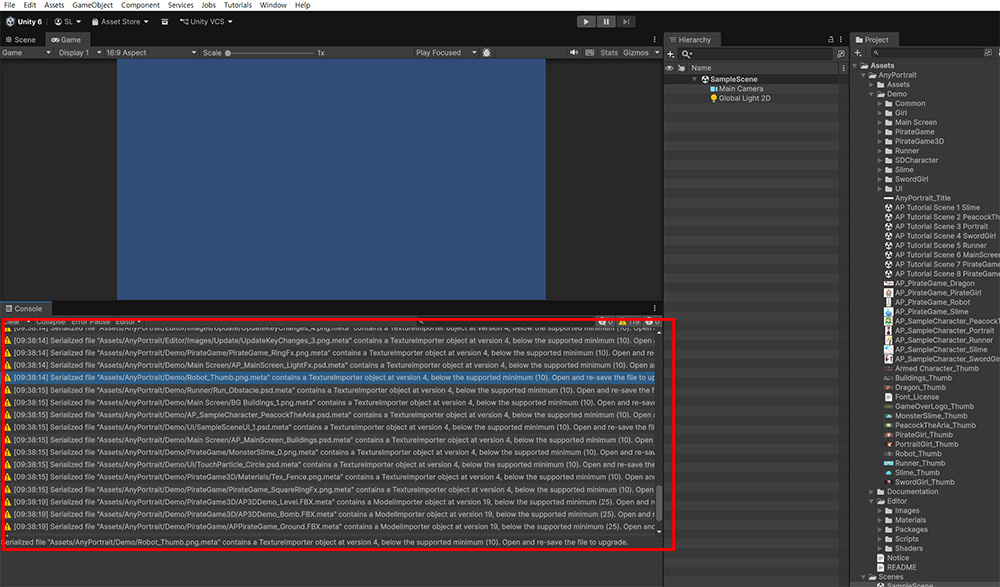
When installing AnyPortrait in Unity 6.6 or later, you may see multiple warning logs appear in the "Console" tab, as shown above.
This occurs because the asset importer version changed starting with Unity 6.6, leading to importer-related issues for assets other than C# scripts.
To resolve this issue, you have to execute "Reserialization" on the affected assets.
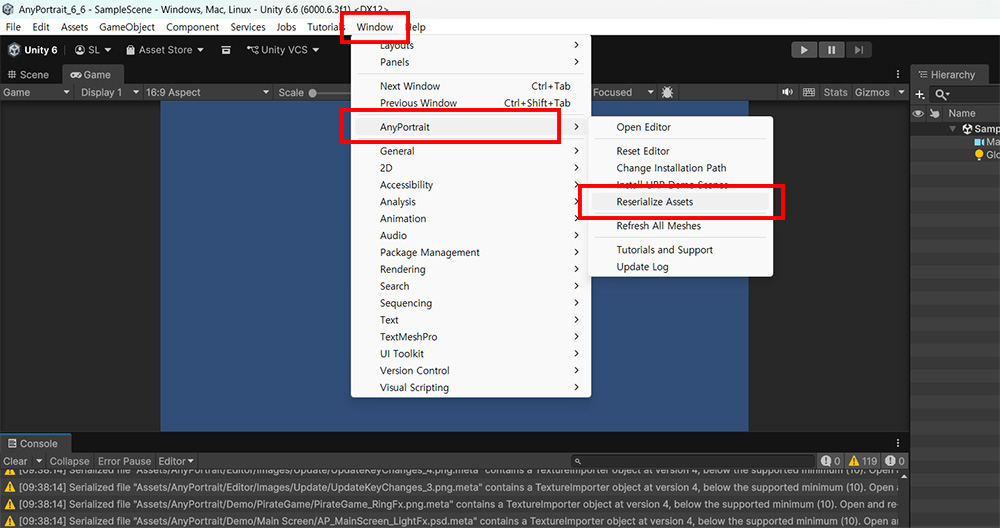
You can resolve this issue by executing the "Window > AnyPortrait > Reserialize Assets" menu item in Unity.
After running this function and reopening the Unity Editor, the warning log will no longer appear.