AnyPortrait > Manual > Default Render Pipeline Settings
Default Render Pipeline Settings
1.7.0
Assets created with AnyPortrait must use materials and shaders compatible with the project's Render Pipeline.
Therefore, you need to appropriately modify the materials and shaders using the Material Library (Link) in the AnyPortrait editor.
Since the default material in AnyPortrait is set to "Built-In RP," if your project uses "Universal RP (URP)," you must update the materials for all assets to be compatible with URP.
Since URP is the recommended choice in the latest versions of Unity, manually swapping materials to URP-compatible ones for every task can be quite cumbersome.
To address this inconvenience, AnyPortrait v1.7.0 introduces a feature and option that automatically sets the default material based on the render pipeline when creating a new portrait.
Selecting the Default Render Pipeline after Installing AnyPortrait
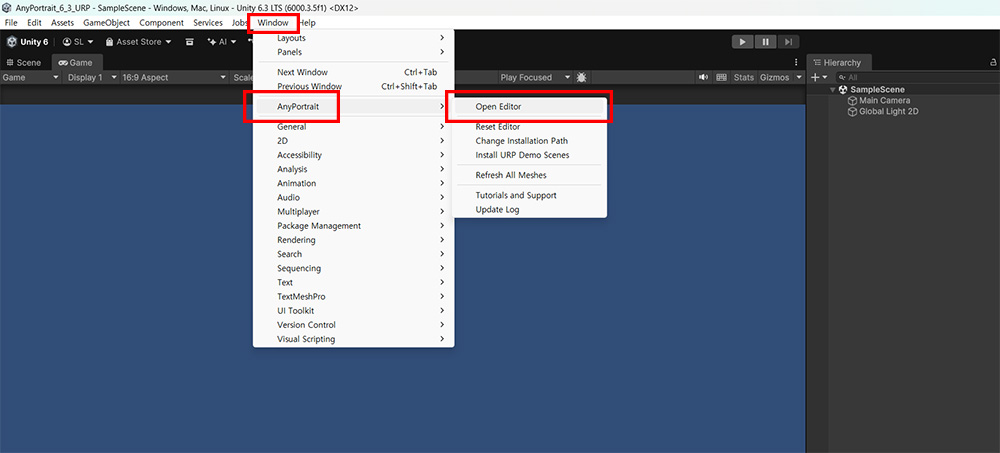
Let's create a new Unity project, import AnyPortrait into it, and then launch AnyPortrait.
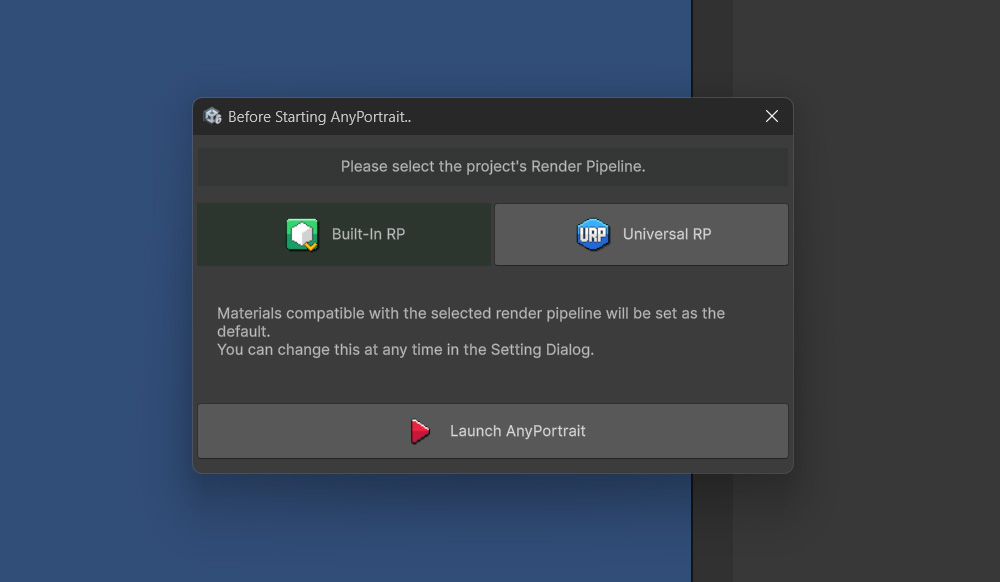
Before the AnyPortrait editor opens, a dialog appears asking you to select the render pipeline for the current project.
This selection determines the Default Render Pipeline used in AnyPortrait.
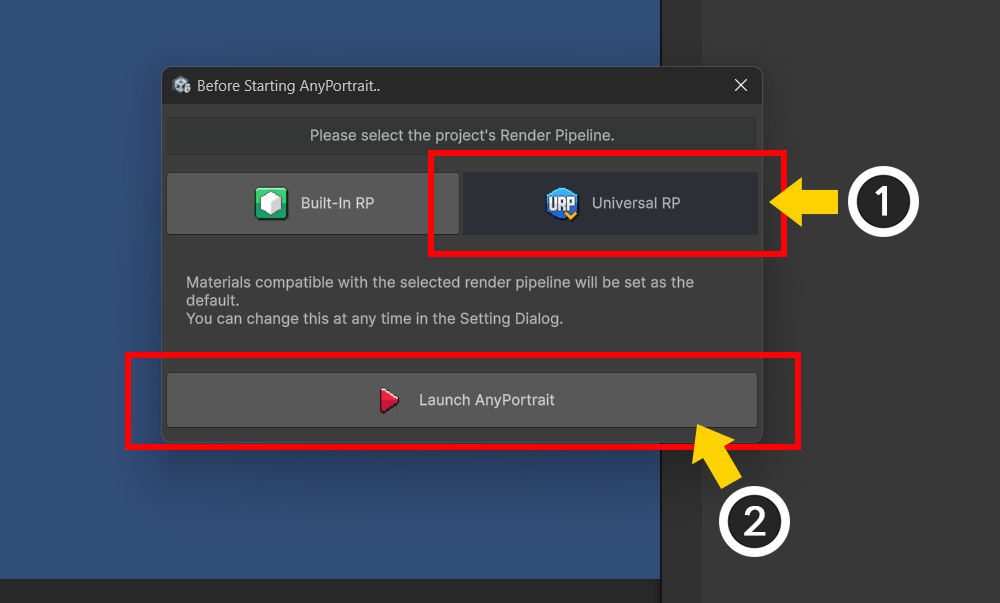
Let's configure the settings assuming the current project's render pipeline is URP.
(1) Click the Universal RP button.
(2) Click the Launch AnyPortrait button.
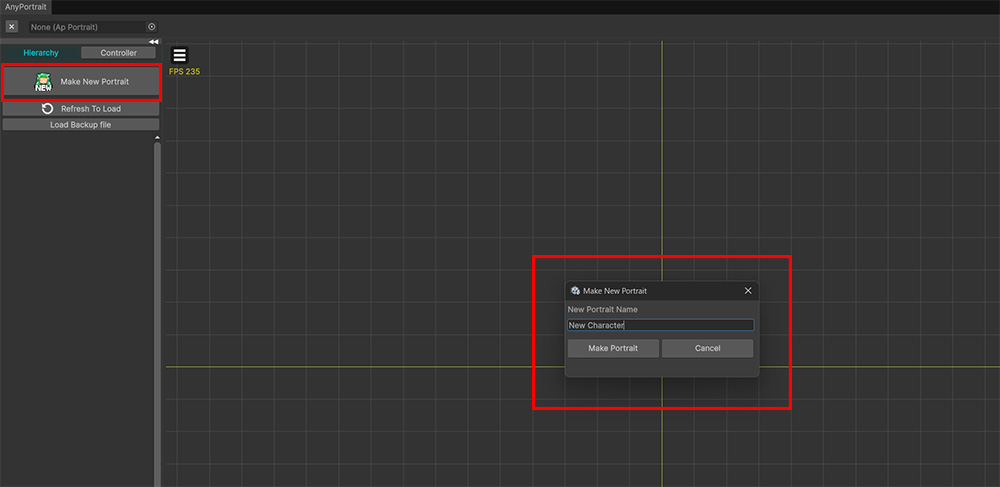
Once the AnyPortrait editor opens, let's create a new portrait.
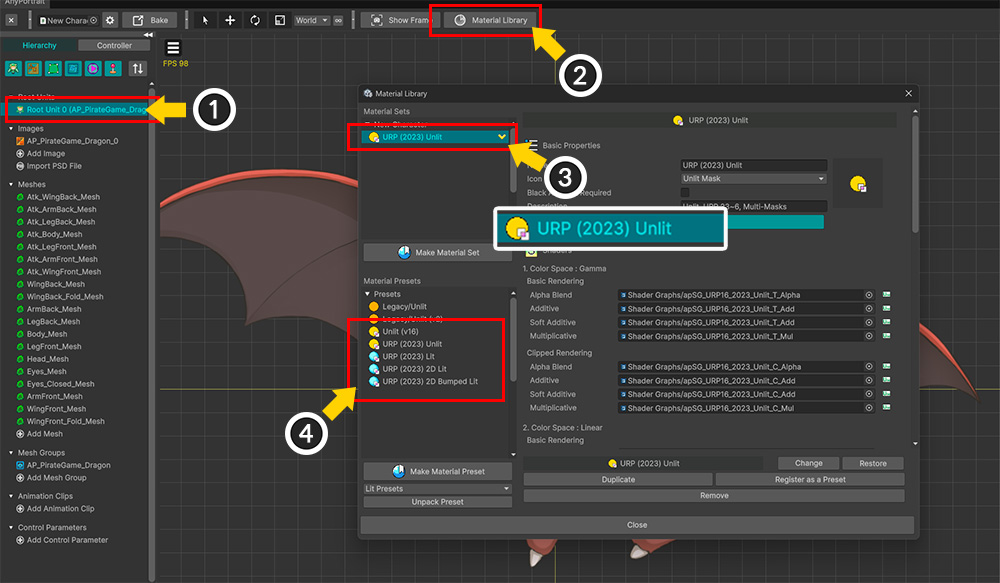
After completing the character creation process and before baking, let's verify that the URP materials have been applied.
(1) Select the Root Unit.
(2) Click the Material Library button.
(3) You can see that the "Unlit" material set for URP has been configured.
(4) You can also see that material presets for URP have been added.
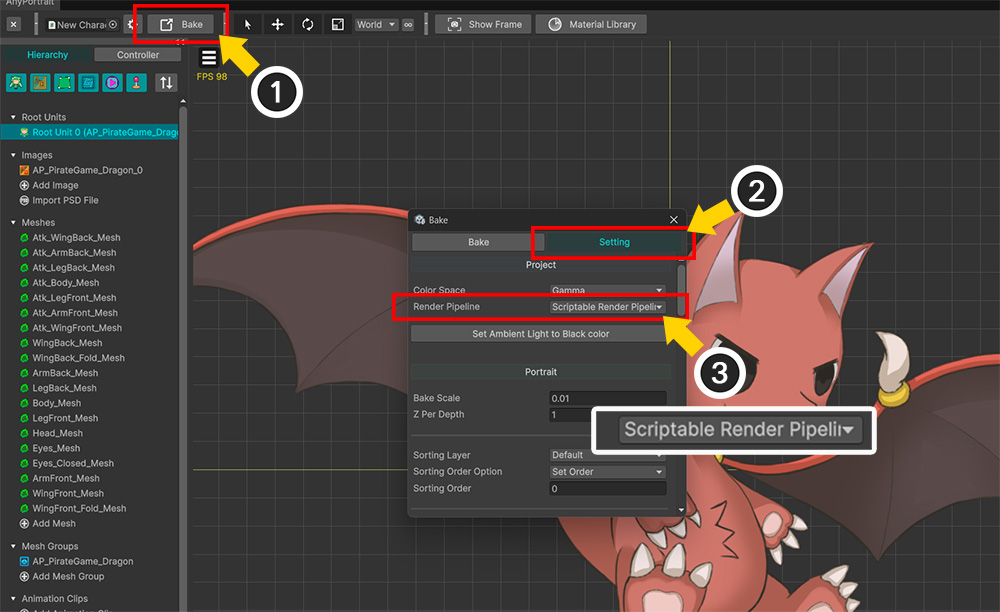
Depending on the render pipeline, not only the materials but also the bake settings need to be adjusted; these values will automatically update to match the initial configuration.
(1) Click the Bake button.
(2) Select the Setting tab.
(3) You will see that the Render Pipeline option has changed to "Scriptable Render Pipeline" to suit URP.
Although this page describes a project configured with URP, you can follow the same process to set the options for a project using the Built-In RP as well.
Changing the Default Render Pipeline
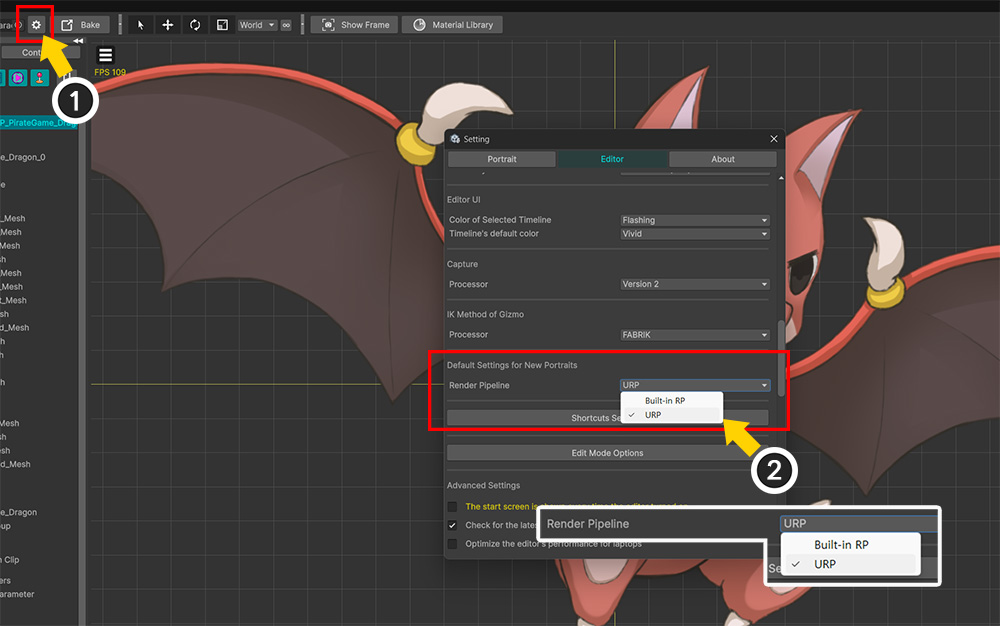
In addition to the initial screen, you can change the Default Render Pipeline in the Setting Dialog.
(1) Open the Setting Dialog.
(2) Open the Editor tab and change the Render Pipeline option under "Default Settings for New Portraits" to modify the Default Render Pipeline.
Note
The Default Render Pipeline setting has the following characteristics:
- This option applies only to new portraits and does not affect existing work.
- This option appears and functions only in Unity 2023 and later versions.
- This option is configured on a per-Unity-project basis.